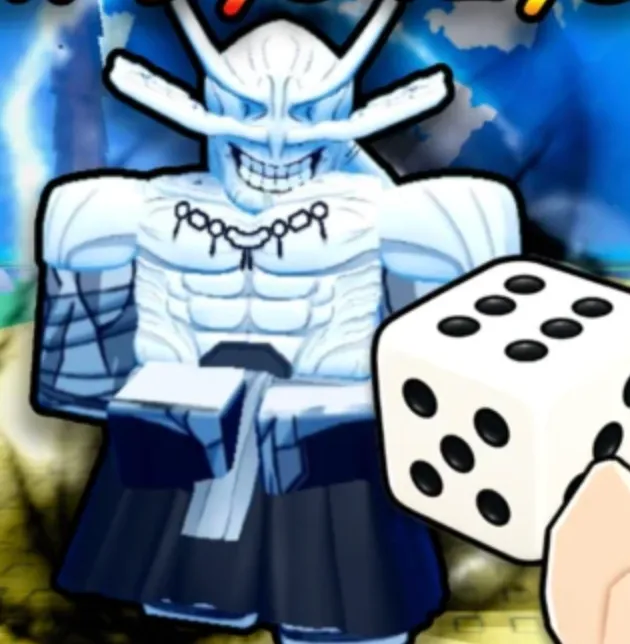
Working Anime Dice Codes
These 16 codes were still active on September 28, 2026. UPDATE2, UPDATE1 and RELEASE show exact rewards. Every other row is a reward bundle.
| Code | Reward | Status | Checked |
|---|---|---|---|
| 400KLIKES | Reward bundle | Working | 2026-09-28 |
| UPDATE6 | Reward bundle | Working | 2026-09-28 |
| UPDATE5 | Reward bundle | Working | 2026-09-28 |
| 250KLIKES | Reward bundle | Working | 2026-09-28 |
| 100KLIKES | Reward bundle | Working | 2026-09-28 |
| 40KCCU | Reward bundle | Working | 2026-09-28 |
| 30KCCU | Reward bundle | Working | 2026-09-28 |
| 20KCCU | Reward bundle | Working | 2026-09-28 |
| 10KCCU | Reward bundle | Working | 2026-09-28 |
| UPDATE4 | Reward bundle | Working | 2026-09-28 |
| UPDATE3 | Reward bundle | Working | 2026-09-28 |
| 5KCCU | Reward bundle | Working | 2026-09-28 |
| 1KCCU | Reward bundle | Working | 2026-09-28 |
| UPDATE2 | 2 Lucky Spins, 5 Trait Rerolls, 5 Gems | Working | 2026-09-28 |
| UPDATE1 | 2 Lucky Spins, 3 Trait Rerolls, 3 Gems | Working | 2026-09-28 |
| RELEASE | 1 Lucky Spin, 2 Trait Rerolls, 2 Gems | Working | 2026-09-28 |
Limited / Recently Changed Code
JPCALLING was reported as a limited-use code and may no longer redeem on every server. Try it after the main working list.
| Code | Status | Note |
|---|---|---|
| JPCALLING | Limited / check in game | Try it after the 16 working codes. It may already be used up on your server. |
How to Redeem Anime Dice Codes
The code box is inside Shop, not in a settings menu. Use the Shop button on the left side of the screen.
Redeem one code at a time. If the button does nothing, clear the box and paste the code again before you try the next one.
Lucky Spins, Trait Rerolls and Gems are the rewards players are cashing these codes in for. A row marked Reward bundle is a working code. Redeem it the same way. The bundle is the freebie pack for that code, including the likes codes, the CCU codes, and UPDATE3 through UPDATE6.
- 1
Open Anime Dice
Launch the Roblox experience and wait until you can move around your plot.
- 2
Click Shop on the left
Press the Shop button on the left side of the screen. This is the same column as Rebirth and Index.
- 3
Scroll to the bottom
Move to the bottom of the Shop window until the code field is visible.
- 4
Enter the code
Type or paste one code into the Enter Code box. Match the capital letters, with no extra spaces.
- 5
Press the green Redeem
Click the green Redeem button. A working code adds the reward immediately.
Expired Anime Dice Codes
The September 28, 2026 lists still treat the 16 codes in the table as active. JPCALLING sits in the limited section above, not in this expired list.
If a code in the table fails after a clean paste on a fresh server, skip it and redeem the next one. A code this account has already claimed will fail too, even when it still works for someone else.
Why a Code May Not Work
Most failed redemptions are a typing problem. Anime Dice codes are case sensitive. UPDATE6 is not the same string as update6, and a space copied from a chat message is enough to make Redeem refuse it.
A code can also be used up. JPCALLING was already described as limited-use, so try the 16 working codes first. Milestone codes such as 400KLIKES can stay active for a long time, then stop without a separate announcement.
If the string is exact and the code is still in the table, leave the experience and join again. A new code sometimes reaches one server before another. Redeeming on a fresh server is the check to make before you decide the code is dead.
Already redeemed codes do not pay twice on the same account. A second try of RELEASE, UPDATE1 or UPDATE2 will fail if that account has already claimed it, even though the code still works for someone else.
Where New Anime Dice Codes Appear
New Anime Dice codes have been arriving with updates and with like or player-count milestones. UPDATE6 is the update code in the current set. 400KLIKES, 250KLIKES, 100KLIKES and the CCU codes follow the milestone pattern.
The developer is More & More Games. Their Roblox group and Discord are the places new strings are posted. The official Roblox game page is the place to confirm you are in the current version of Anime Dice before you troubleshoot a code.
This page is the working list after those posts have been compared. A code that shows up in only one roundup stays off the table until a second current list agrees.
Common questions
Frequently Asked Questions
What Anime Dice codes are working right now?
As of September 28, 2026, the agreed working codes are 400KLIKES, UPDATE6, UPDATE5, 250KLIKES, 100KLIKES, 40KCCU, 30KCCU, 20KCCU, 10KCCU, UPDATE4, UPDATE3, 5KCCU, 1KCCU, UPDATE2, UPDATE1 and RELEASE.
How do you redeem codes in Anime Dice?
Open Anime Dice, click Shop on the left, scroll to the bottom of the Shop window, type the code into Enter Code, and press the green Redeem button.
What do UPDATE2, UPDATE1 and RELEASE give?
UPDATE2 gives 2 Lucky Spins, 5 Trait Rerolls and 5 Gems. UPDATE1 gives 2 Lucky Spins, 3 Trait Rerolls and 3 Gems. RELEASE gives 1 Lucky Spin, 2 Trait Rerolls and 2 Gems. The other working codes are a reward bundle. Claim them with the same Redeem button for the freebie pack.
Why was a code rejected?
Check the capital letters, remove spaces, and confirm you have not already redeemed that code on this account. If it is a brand-new code, rejoin so you land on an updated server, then paste it again.